sequenceDiagram
    participant Client
    participant Server

    Client->>Server: Initial Request
    Server->>Client: HTML File
    Client->>Server: Subsequent Request
    Server->>Client: HTML File
Web Programming
Lecture 7
Client–Server Communication
April 23, 2026
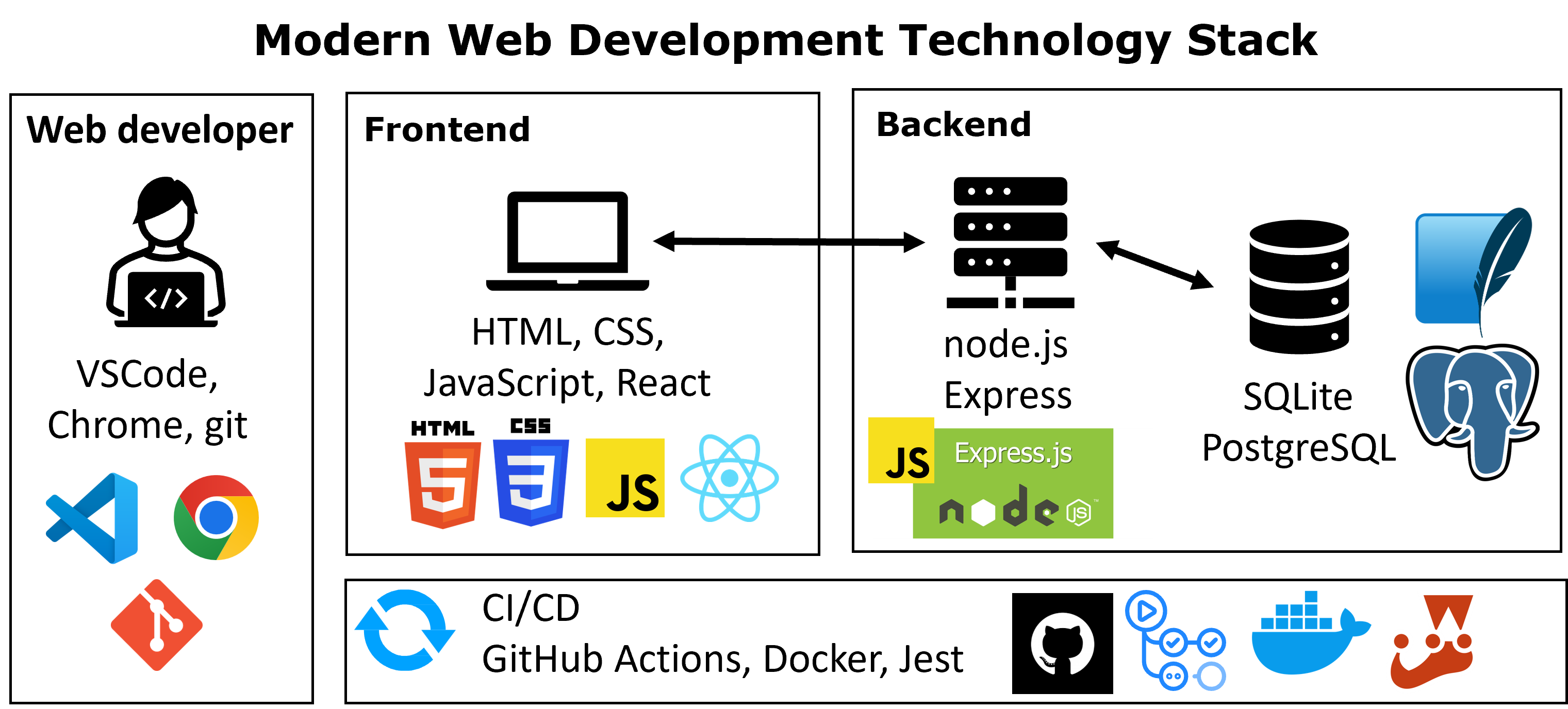
Course structure
What Happens When We Call fetch()?
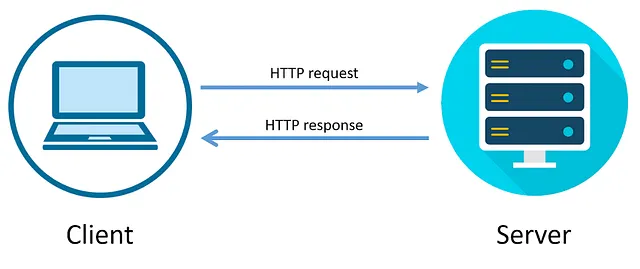
- In Week 6, we used
fetch()to request data - That request is sent to a server
- The server processes the request and sends back a response
Important
fetch() is how the browser communicates with a server
Request and response
- HTTP revolves around two primary elements: the request and the response.
- The client issues a request to the server, and the server processes it before returning a response.
- Each message is composed of multiple parts, which we will explore in the following slides.
- As shown, a single server can serve many clients at once. This is the standard web application architecture: the server handles incoming requests and delivers the corresponding responses.
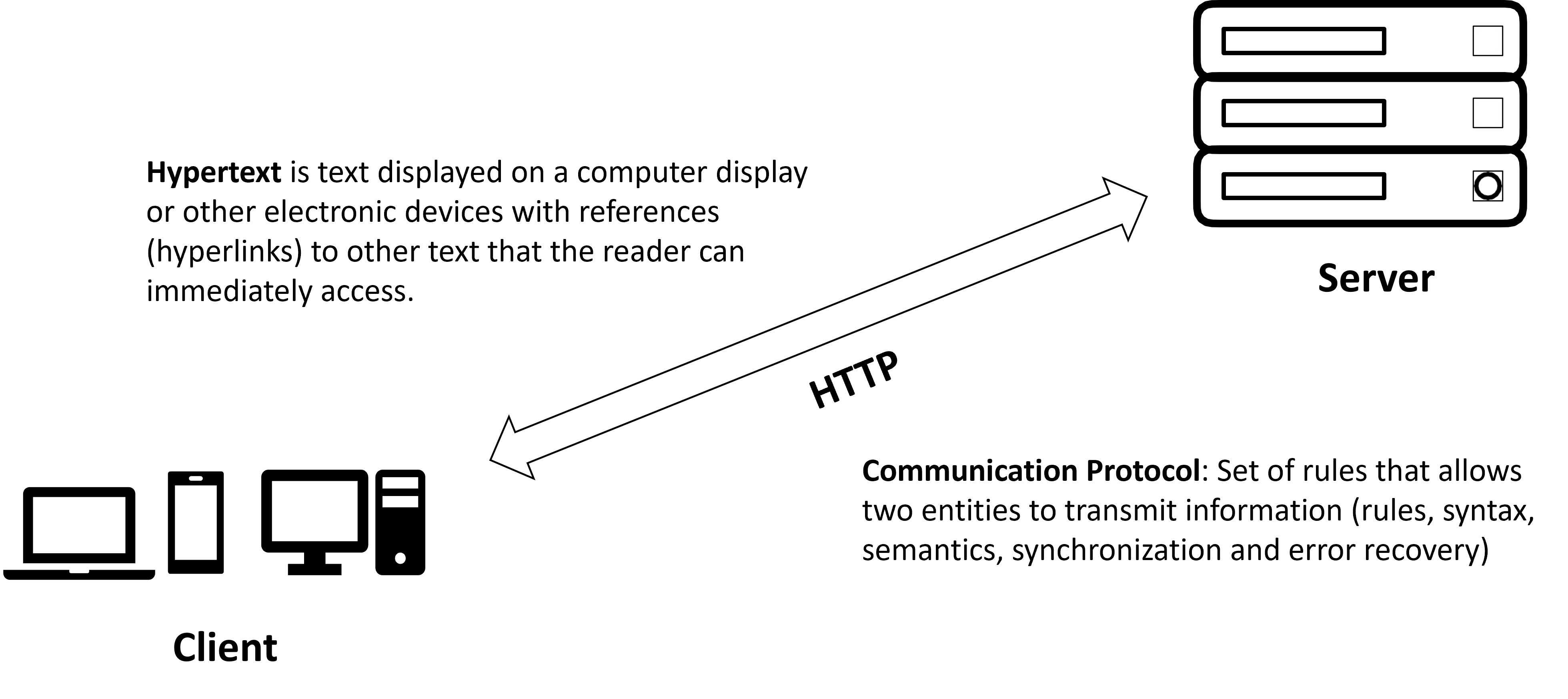
HTTP request and response to the ITM website
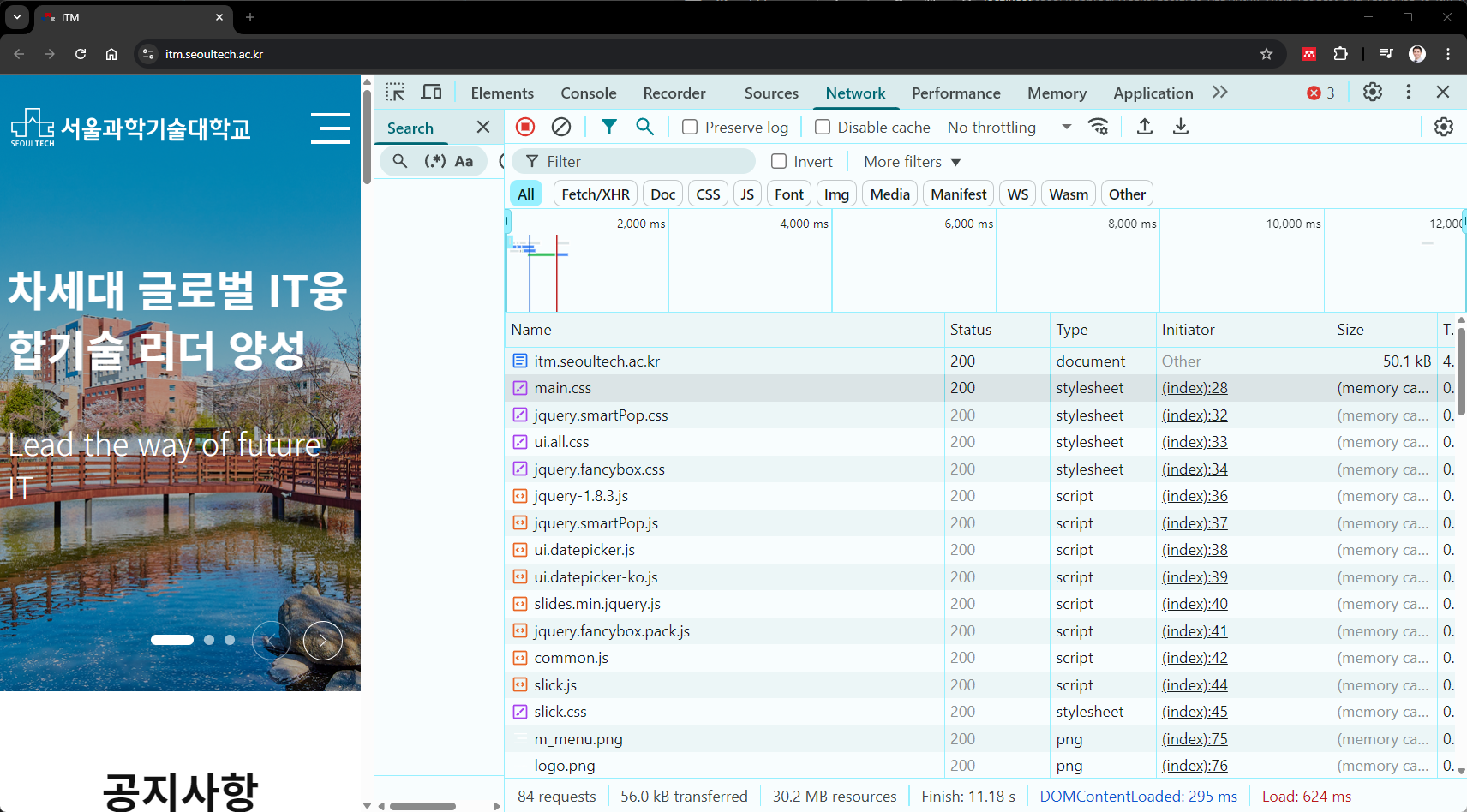
- Browsers show all requests in the Network tab (Developer Tools)
- Pay attentioin at the bottom part you can easily see that this page is sending 84 requests targeting different servers to render the page.
- Key resources include: CSS files, favicons, JavaScript files, images, videos and raw data
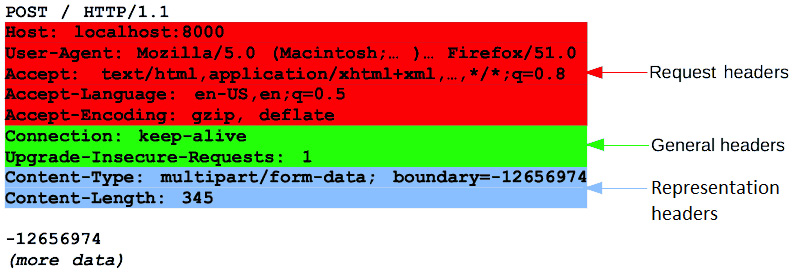
HTTP headers (request)
- Each requests and responses has a set of headers.
- These are key-value pairs and provide additional information about the request or the response.
- Representation headers
content-type,content-length
- General headers
keep-alive,upgrade-insecure-requests
- Request headers
accept,accept-encoding,accept-language,hostanduser-agent
- We can understand many things about a request, such as the type of content the client is expecting, the language, and the browser used
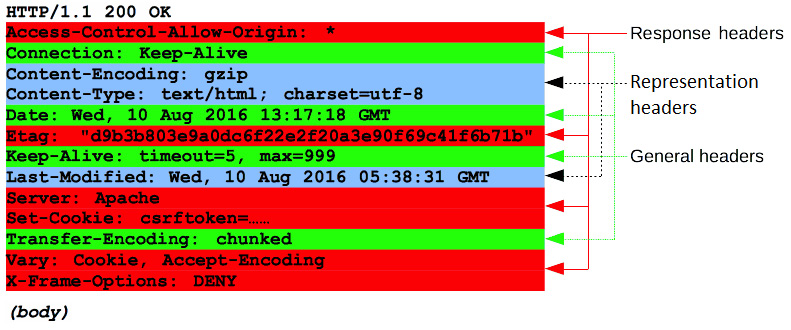
HTTP headers (response)
- Representation headers
content-type,content-encoding,last-modified
- General headers
connection,date,keep-alive,transfer-encoding
- Response-specific headers
access-control-allow-origin,etag,server,set-cookie,vary,x-frame-options
- Provide metadata to help browsers and apps digest and render responses
- Critical for security:
X-Frame-Optionsprevents framing
Feature-Policycan disable camera/microphone, etc.
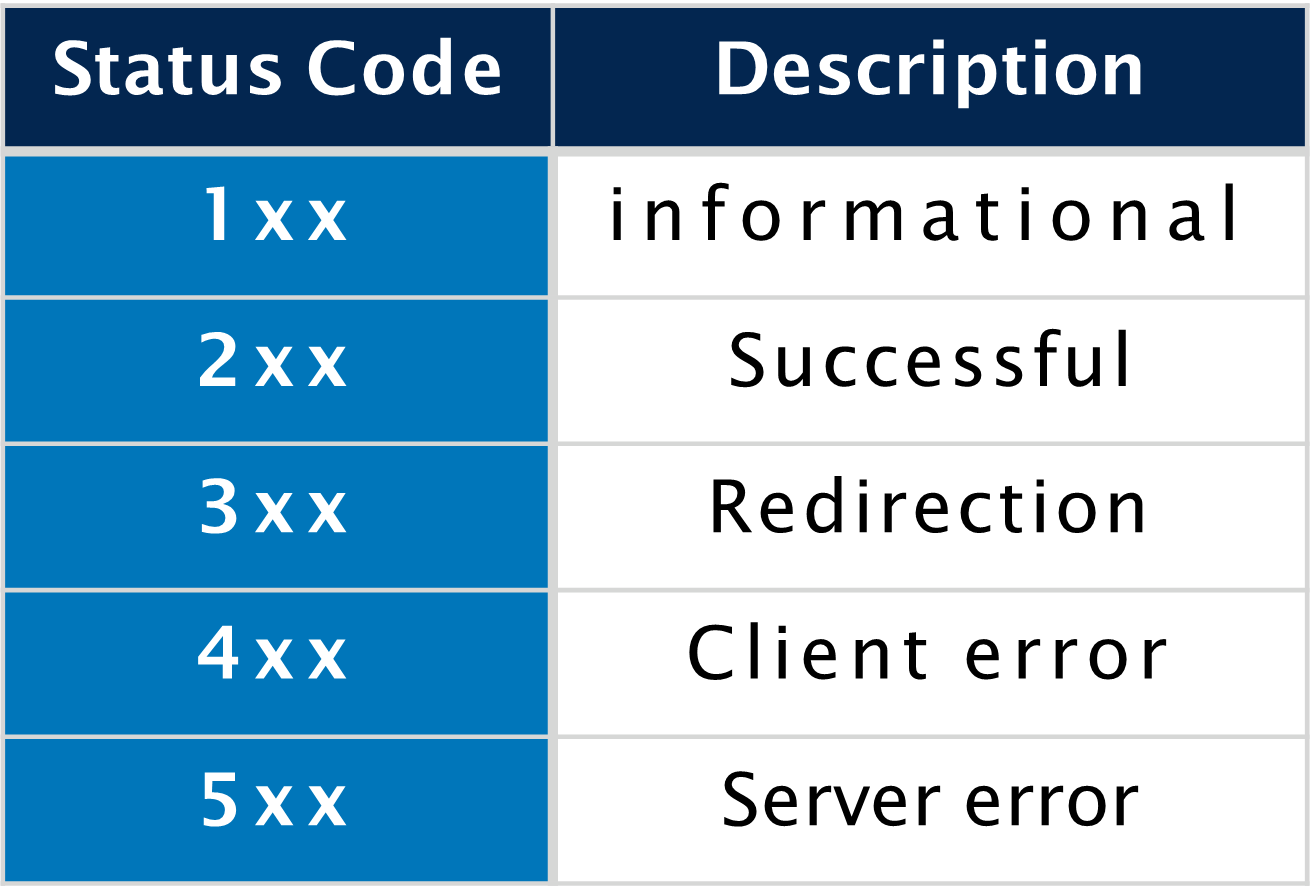
HTTP status codes
- With all responses that a web server sends, there is a response code that allows us to understand whether the request was successful or not and can even provide more detailed feedback.
The most common status codes are:
- 200 OK
- 201 Created–> The request succeeded, and a new resource was created as a result.
- 301 Moved Permanently –> The URL of the requested resource has been changed permanently. The new URL is given in the response.
- 400 Bad Request –> The server cannot or will not process the request due to something that is perceived to be a client error
- 401 Unauthorized –> semantically this response means “unauthenticated”
- 403 Forbidden –> The client does not have access rights to the content; that is, it is unauthorized
- 404 Not Found
- 429 Too Many Requests
- 500 Internal Server Error –> The server has encountered a situation it does not know how to handle.
- 503 Service Unavailable.
HTTP methods
- HTTP defines a set of request methods to indicate the purpose of the request and what is expected if the request is successful.
- Although they can also be nouns, these request methods are sometimes referred to as HTTP verbs.
- GET: Retrieve a resource (default method used by the browser)
- POST: Create a resource
- PUT: Update a resource
- PATCH: Partially update a resource
- DELETE: Delete a resource
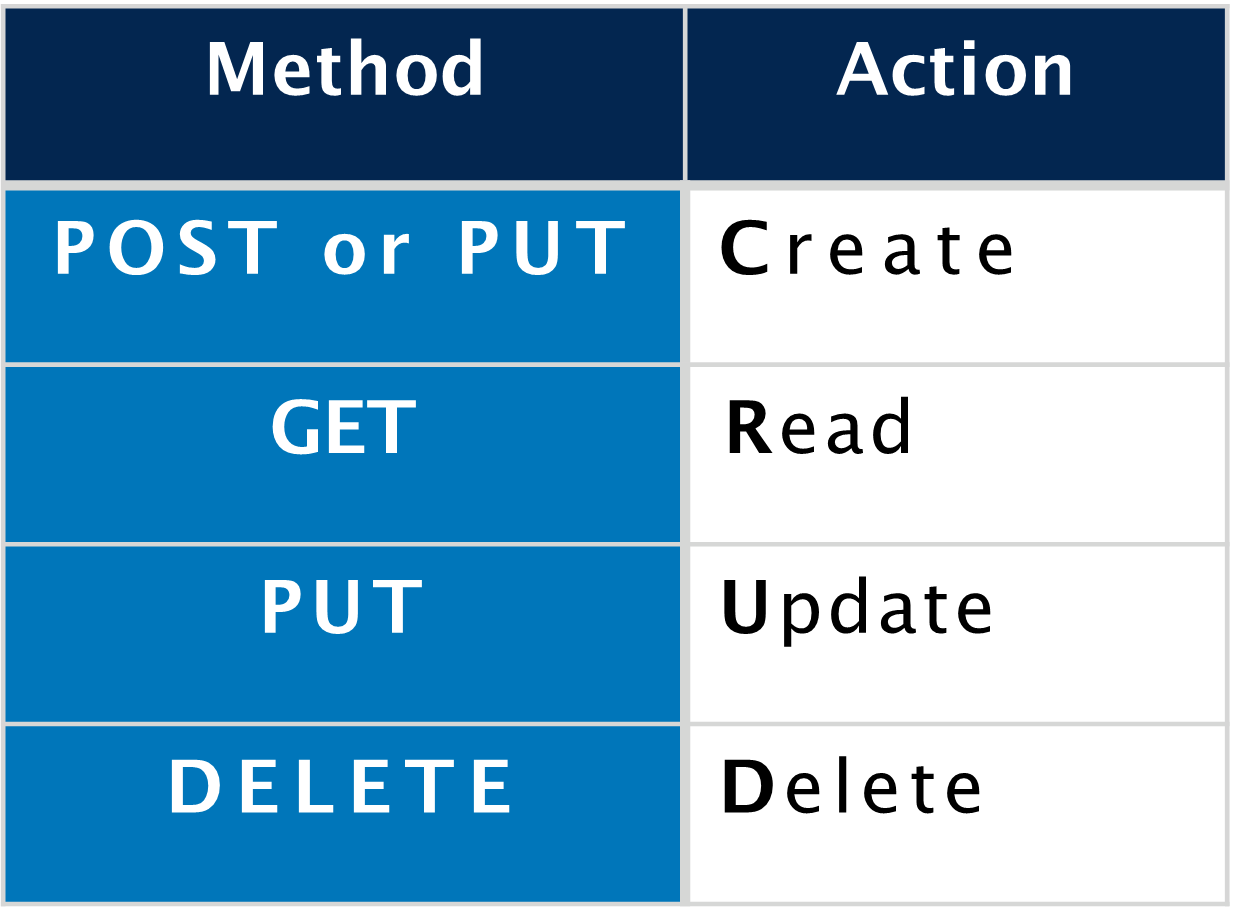
(CRUD) are the four basic operations or actions of persistent storage.
Application Program Interface (API)
- An application programming interface (API) is a connection between computers or between computer programs.
- A web API is an API for either a web server or a web browser.
- A client-side web API is a programmatic interface to extend functionality within a web browser or other HTTP client.
- A server-side web API consists of one or more publicly exposed endpoints to a defined request–response message system, typically expressed in JSON or XML by means of an HTTP-based web server.
- APIs come in all shapes and sizes:
- REST (what we’ll focus on)
- SOAP
- RPC/gRPC
- GraphQL
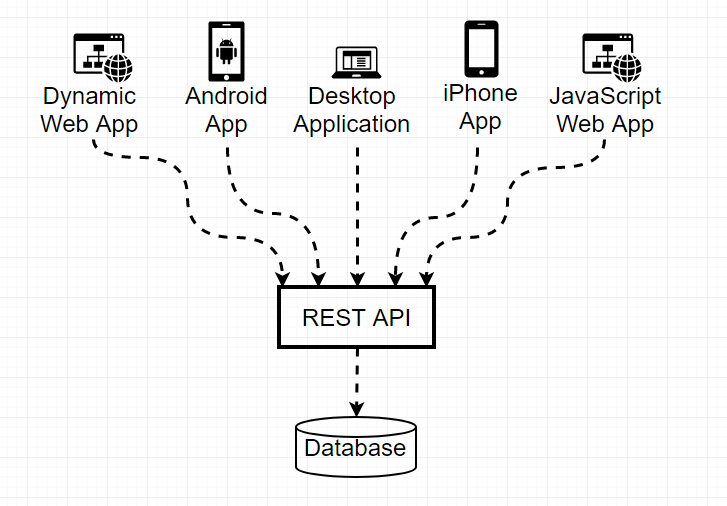
REST APIs
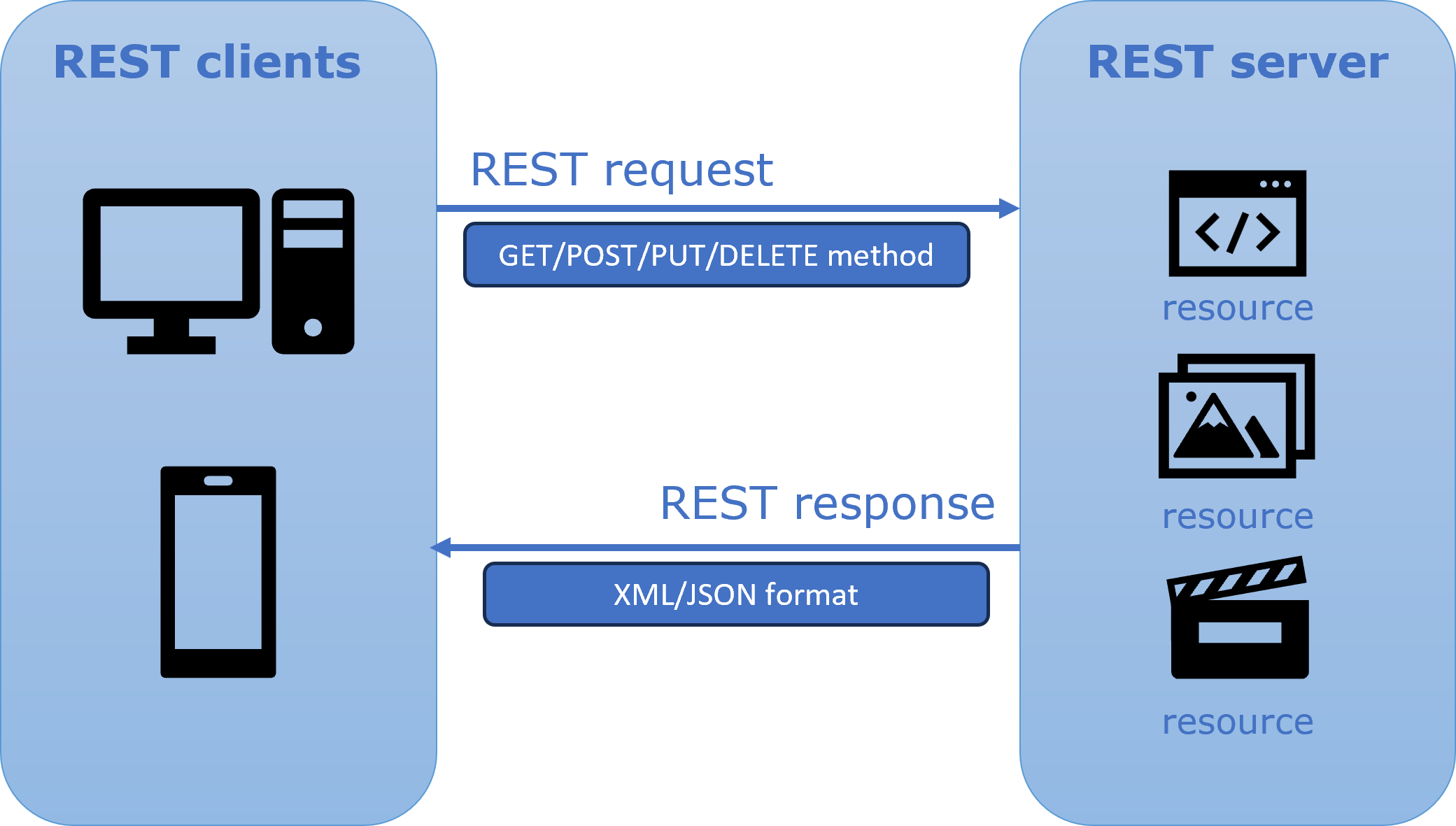
REST stands for Representational State Transfer
Architectural style for designing web APIs
Resources
- Identified by unique URLs, that denote endpoints
- Accessed and manipulated via HTTP methods
Server Response
- Status code (e.g., 200, 404, 500)
- Payload (JSON, XML, etc.) when applicable
- Status code (e.g., 200, 404, 500)
Next week
- Midterm exam covering all learned from Week1 to Week7
- And then, backend development and introduction to Node.js